
Depending on your perspective, Reddit is either one of the last great online communities or a petri dish for the internet’s most cutting-edge bots. Or, maybe, both.
One thing that’s become increasingly hard to ignore is how much conversation on Reddit is shaped by accounts that don’t really read like people. The scale of the problem is obvious, and everyone sees it: bot networks, coordinated astroturfing campaigns, accounts for sale, and now AI slop… But the tools Reddit gives users to assess account credibility are thin at best. Reddit lets you click a username and see when an account was created and a karma score. That’s about it. And that’s not very useful when karma is literally for sale.
I built Reddit Contextualizer (Chrome, Firefox) to help users identify things more easily.

What It Does
Reddit Contextualizer is a lightweight browser extension for Chrome and Firefox that augments Reddit’s existing user hovercards. When you click on a commenter’s username, instead of seeing just the standard karma-and-cake-day summary, you see a breakdown of which subreddits that user has been active in over the past year or so. To keep things simple, the data shows up in the existing hovercard, so just additional signal layered into a panel you were already looking at.
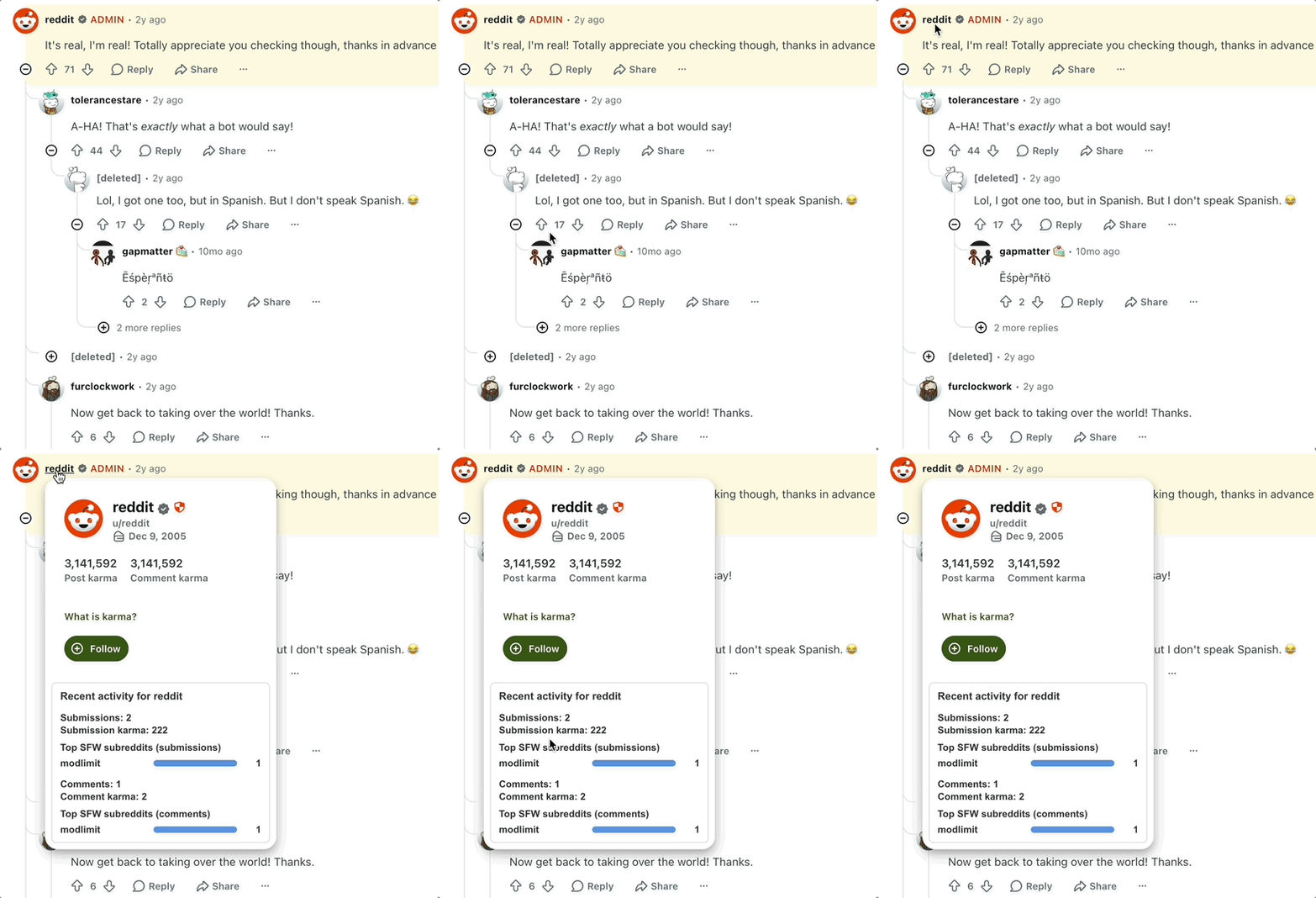
The data is sourced entirely from publicly-available Reddit activity data and backed by a custom API I built to power the extension. The extension itself doesn’t track you or send any information about your browsing whatsoever. When you click a username, a request goes out for that user’s aggregate activity data. That’s it.
Interested in the API? Leave a comment here. I’d be happy to share.
Why Subreddit History Matters for Bot Detection
Bots tend to be narrowly deployed. A bot seeding political talking points doesn’t usually also have a history of asking questions in r/HomeImprovement and complaining about the Yankees in r/baseball. Authentic human accounts meander — they follow interests, argue about unrelated things, have phases. The subreddit participation history of a real person looks like a life. The participation history of a bot looks like a job.
Recent Nature research says it well: “[Bots] are strategically designed to be in character by having the right affiliation to fit in and converse with a specific group.”
Behavioral breadth is a well-established signal in fraud detection. Reddit doesn’t surface it usably — you’d have to manually tabulate a user’s subreddit distribution from their profile history. Nobody does that. Reddit Contextualizer puts that check one click away.
It’s not a definitive detector. Sophisticated operators can manufacture subreddit diversity. But casual AI-generated accounts almost never do, and the bar for doing it convincingly is high enough that most bot farms don’t bother.
A Note on Privacy
NSFW subreddits and very new communities are excluded from the activity summaries. This is a deliberate choice: the goal is to give you signal about conversational authenticity, not to expose embarrassing corners of someone’s Reddit history. And again, the extension collects nothing about the person using it.
The Broader Problem
The incentives for flooding Reddit with synthetic engagement are not going away. We are watching the marginal cost of AI-generated commentary collapse in real-time, and platforms simply are not keeping up. Reddit’s own transparency around inauthentic activity has been inconsistent, and its native tooling for regular users to assess commenter credibility hasn’t materially improved in years.
In the absence of official tools, extensions like this one help fill a gap the platform itself isn’t filling. That’s not a criticism of Reddit specifically — this is an industry-wide failure of imagination about what user trust and safety tooling could look like. But it does mean that users who want to participate in good-faith discourse have to do some of their own groundwork.
Reddit Contextualizer is a small piece of that groundwork, available for free, with no tracking, for Chrome and Firefox today.