Thinking about using an AWS Lambda function using the excellent awslabs/aws-serverless-java-container as an AWS Application Load Balancer (ALB) target? There are some configuration gotchas you should know about!

from Andy Boothe
Thinking about using an AWS Lambda function using the excellent awslabs/aws-serverless-java-container as an AWS Application Load Balancer (ALB) target? There are some configuration gotchas you should know about!
I’m (finally) upgrading several projects to Java 17, the current LTS version. I like to deploy my Lambda functions as container images because it keeps the devops simple — everything is a container! — but there still isn’t an officially-supported base image Java 17, even though it’s been out for almost a year. So I made one and released it to the community. You can find the images on ECR Public Gallery and DockerHub, and the source code is on GitHub. If you’ve been waiting to adopt Java 17 until there was Lambda support, then these base images will let you get started.

I just released the first beta version of litecene, a Java library that implements a common boolean search syntax for full-text search, with its first transpiler for BigQuery.

Litecene uses a simple, user-friendly syntax that is derived from Lucene query syntax that should be familiar to most users. It includes clauses for term with wildcard, phrase with proximity, AND, OR, NOT, and grouping.
As an example, this might be a good Litecene query to identify social media posts talking about common ways people user their smartphones:
(smartphone OR "smart phone" OR iphone OR "apple phone" OR android OR "google phone" OR "windows phone" OR "phone app"~8) AND (call* OR dial* OR app OR surf* OR brows* OR camera* OR pic* OR selfie)The syntax is documented in more detail here.
Continue reading “Litecene: Full-Text Search for Google BigQuery”This is the third post in a three-post series covering the fundamentals of software performance analysis. You can find the introduction here. You can find Part II here. You can find the companion GitHub repository here.
Part II covered the process of using a profiler (VisualVM) to identify “hot spots” where programs spend time and then optimizing program code to improve program wall clock performance.
This post will cover the process of using a profiler to identify memory allocation hot spots and then optimizing program code to improve memory allocation performance. It might be useful to refer back to Part II if you need a refresher on how to use VisualVM or the optimization workflow.
Continue reading “Fundamentals of Software Performance Analysis Part III — Optimizing Memory Allocation Performance”This is the second post in a three-post series covering the fundamentals of software optimization. You can find the introduction here. You can find Part I here. You can find Part III here. You can find the companion GitHub repository here.
Part I covered the development of the benchmark, which is the “meter stick” for measuring performance, and established baseline performance using the benchmark.
This post will cover the high-level optimization process, including how to use profile software performance using VisualVM to identify “hot spots” in the code, make code changes to improve hot spot performance, and evaluate performance changes using a benchmark.
Continue reading “Fundamentals of Software Optimization Part II — Optimizing Wall Clock Performance”This is the first post in a three-post series covering the fundamentals of software optimization. You can find the introduction here. You can find Part II here. You can find the companion GitHub repository here.
The introduction motivated why software optimization is a problem that matters, reflected on the fundamental connection between the scientific method and software performance analysis, and documented the (informal) optimization goal for this series: to optimize the production workflow’s wall clock performance and memory usage performance “a lot.”
This post will cover the theory and practice of designing, building, and running a benchmark to measure program performance using JMH and establishing the benchmark’s baseline performance measurements.
Continue reading “Fundamentals of Software Optimization Part I — Benchmarking”This is the introduction to a three-post series covering the fundamentals of software optimization. You can find Part I here. You can find the companion GitHub repository here.
Performance is a major topic in software engineering. A quick Google search for “performance” in GitHub issues comes up with about a million results. Everyone wants software to go fast – especially the users!

However, as a general problem, software optimization isn’t easy or intuitive. It turns out that software performance follows the Pareto principle — 90% of time is spent in 10% of code. It also turns out that in a large program, people — even professional software performance analysts who have spent their careers optimizing software — are really bad at guessing which 10% that is. So folks who try to make code go faster by guessing where the code is spending its time are actually much more likely to make things worse than better.
Fortunately, excellent tools exist to help people improve software performance these days, and many of them are free. This three-part series will explore these tools and how to apply them to optimize software performance quickly and reliably.
Continue reading “Introduction to Fundamentals of Software Optimization”The OpenAPI Generator is a wonderful bit of tech. It allow users to create an OpenAPI spec, and then generate client and server code from it in a variety of languages and platforms. I use it to generate DTOs for all my APIs, and to generate service interfaces to keep my client and server in sync. It also simplifies contract testing, if that’s your bag.

The generator is quite powerful out of the box, but it doesn’t do everything. Fortunately, it’s also extremely customizable, so if and when you find something that’s not supported out of the box, then you can make it work with minimal muss and fuss using template customization. Here’s how.
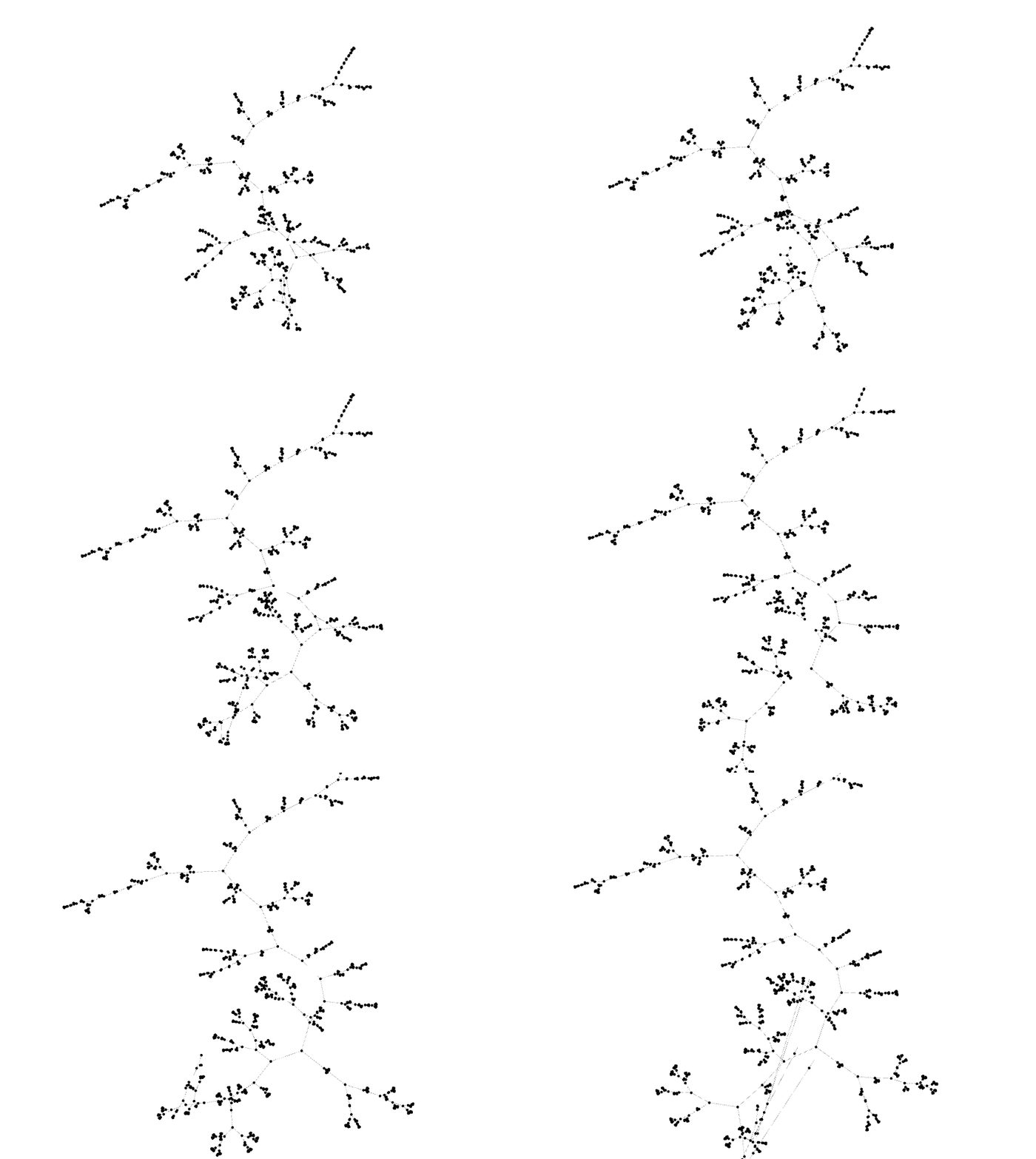
Continue reading “OpenAPI Generator Template Customization Example”As part of a side project, I ended up producing a large dendrogram. Roughly 22,000 items were clustered, which produced over 44,000 nodes! Plotting such a large dendrogram is tough.
After trying to convince some tools to render a dendrogram this large in a way that is useful, I decided to render it as a graph using Gephi instead. While Gephi is not incredibly intuitive to use and isn’t the most stable piece of software, it is the easiest way to render large graphs. Rendering the dendrogram as a graph throws away the dissimilarity aspect of the rendering, but for a dataset this large, it’s tough to parse that anyway.
To get the best layout possible, I ended up using Gephi’s timeline feature. It was a little tricky to get right, so I thought I’d document the process here in case it’s useful to others.
I was investigating the feasibility of putting natively-formatted Twitter data into BigQuery, and got pretty far along the way before deciding to go another direction. I found the schema in the twitter-for-bigquery project to be incomplete for my needs, so I made a new schema of my own. I’m making the schema available here in case it’s of use to anyone else.